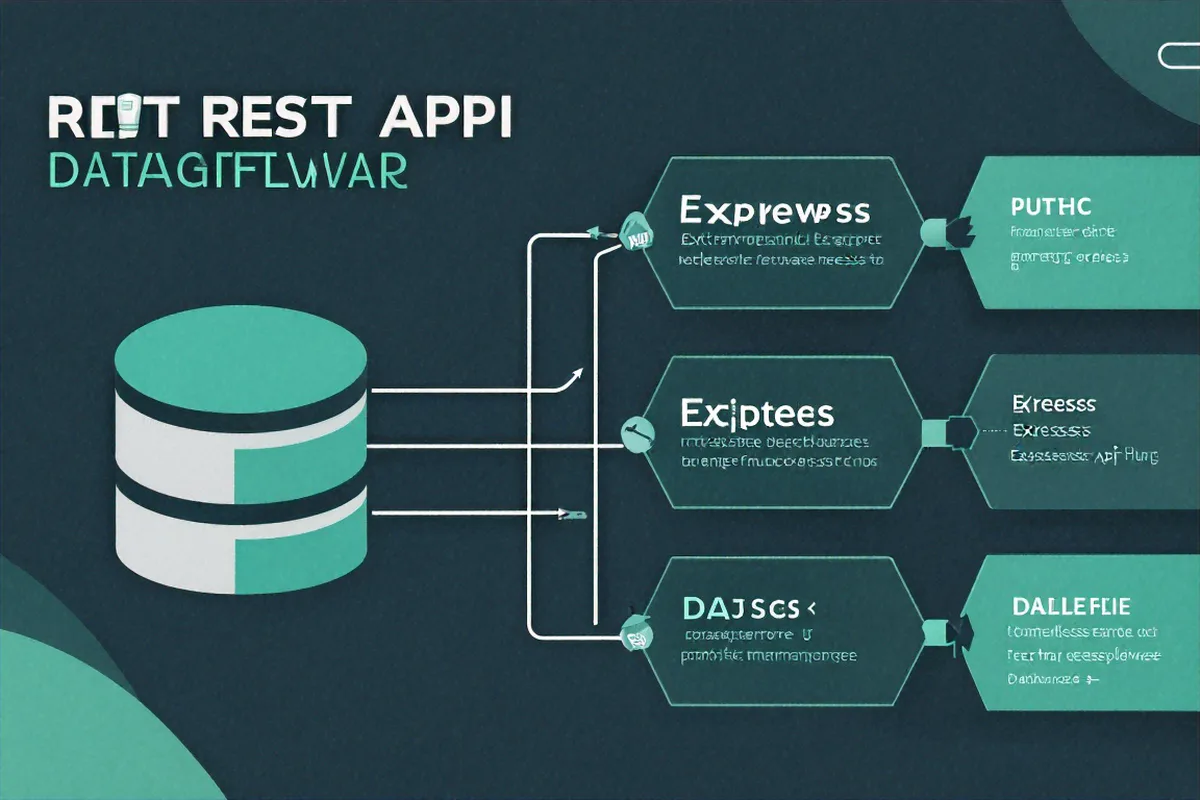
A REST API (Representational State Transfer Application Programming Interface) built with Express.js follows a layered architecture pattern where routes delegate to controllers, controllers call services, and services interact with data models. This separation of concerns makes the codebase maintainable, testable, and scalable as the application grows.
Can we talk about how every Express tutorial stops right when things get interesting? You get app.get('/hello', ...), maybe a route with a URL param, and then "you've built an API." No. You've built a toy. I want to talk about what happens after that -- the stuff that bit me before I shipped my first Express app to production and watched it crumble under real traffic.
How We Organize Our Code
Our team went through three different project structures before landing on one that didn't make us want to quit. Here's what stuck:
src/
  controllers/    # Request handlers
  middleware/     # Custom middleware
  models/         # Data models
  routes/         # Route definitions
  services/       # Business logic
  utils/          # Helper functions
  validators/     # Input validation schemas
  config/         # Configuration files
  server.js       # Entry point
The idea is simple: routes know about controllers, controllers know about services, services know about models. Never skip a layer. Your route file shouldn't have database queries in it. Your controller shouldn't be importing mongoose directly.
I broke this rule once -- stuck a quick MongoDB query in a route handler because I was in a rush. Three months later that route had grown to 200 lines and nobody wanted to touch it. Lesson learned.
Why the Layered Approach Pays Off
The real benefit of strict layering showed up when we needed to swap out our email provider. We'd been using SendGrid, and the company decided to move to AWS SES. Because all the email logic was isolated in a service file, the change was contained to one module. Controllers didn't care. Routes didn't care. We swapped the import, adjusted a few function signatures, and it was done in an afternoon. If that logic had been scattered across ten different route handlers -- which is exactly how our older codebase worked -- it would have been a multi-day effort with regression risk everywhere.
The same principle applies to testing. When your business logic lives in service files with no dependency on req or res objects, you can unit test it with plain function calls. No need to spin up an Express server or mock HTTP objects. I test my services with plain assert calls, and I test my routes with supertest for integration coverage. That separation makes both kinds of tests simpler to write and faster to run.
One Error Handler to Rule Them All
Early on, I had try-catch blocks in every single route. Dozens of them. Each one handled errors slightly differently. Some returned {error: msg}, others returned {message: msg}, some forgot to set the status code. It was a mess.
Now we use a single error-handling middleware at the bottom of our middleware stack:
class AppError extends Error {
  constructor(message, statusCode) {
    super(message);
    this.statusCode = statusCode;
    this.isOperational = true;
    Error.captureStackTrace(this, this.constructor);
  }
}

const errorHandler = (err, req, res, next) => {
  err.statusCode = err.statusCode || 500;

  if (process.env.NODE_ENV === 'production') {
    res.status(err.statusCode).json({
      status: 'error',
      message: err.isOperational ? err.message : 'Something went wrong'
    });
  } else {
    res.status(err.statusCode).json({
      status: 'error',
      message: err.message,
      stack: err.stack
    });
  }
};

module.exports = { AppError, errorHandler };
The isOperational flag is something I picked up from a talk a while back. The idea: errors you expect (bad user input, resource not found) are "operational." Show those to the client. Errors you didn't expect (null pointer, database connection dropped) are bugs -- hide the details in production and log them for yourself.
Killing Repetitive Try-Catch
Even with centralized error handling, you still need to catch the errors in the first place. Writing try-catch in every async route gets old fast. So we use this:
const catchAsync = (fn) => {
  return (req, res, next) => {
    fn(req, res, next).catch(next);
  };
};

// Usage
router.get('/users', catchAsync(async (req, res) => {
  const users = await UserService.getAll();
  res.json({ status: 'success', data: users });
}));
That .catch(next) sends any rejection straight to our error handler. No try-catch, no silent failures. I've been using this for about two years now and it's never let me down.
Worth noting: Express 5 (which has been in beta for ages) handles async errors natively -- rejected promises automatically call next(err). But until your project is actually on Express 5, the catchAsync wrapper is a must. I've seen codebases where someone assumed async errors were caught automatically and then spent days tracking down silent 500s that were swallowed without any logging. The wrapper is four lines of code. Just use it.
Don't Trust Anything the Client Sends
I used to validate input inside my controllers with a bunch of if-statements. "If name is missing, return 400. If email doesn't have an @, return 400." You can imagine how that looked after ten fields.
Now we validate at the edge, before the request even reaches the controller. We use joi but zod works just as well:
const Joi = require('joi');

const createUserSchema = Joi.object({
  name: Joi.string().min(2).max(50).required(),
  email: Joi.string().email().required(),
  password: Joi.string().min(8).pattern(/^(?=.*[a-z])(?=.*[A-Z])(?=.*\d)/).required()
});

const validate = (schema) => (req, res, next) => {
  const { error } = schema.validate(req.body, { abortEarly: false });
  if (error) {
    const messages = error.details.map(d => d.message);
    return next(new AppError(messages.join('. '), 400));
  }
  next();
};
Put this as middleware on your route and your controller never has to worry about bad data. Clean separation.
One gotcha I ran into: make sure you validate query parameters and URL params too, not just the request body. We had a pagination endpoint where someone passed ?page=-5 and the database query went haywire. Now our validate middleware accepts a second argument specifying which part of the request to check -- body, query, or params. It's a small addition that prevents a whole class of bugs.
const validate = (schema, source = 'body') => (req, res, next) => {
  const { error } = schema.validate(req[source], { abortEarly: false });
  if (error) {
    const messages = error.details.map(d => d.message);
    return next(new AppError(messages.join('. '), 400));
  }
  next();
};

// Now you can validate query strings too
const paginationSchema = Joi.object({
  page: Joi.number().integer().min(1).default(1),
  limit: Joi.number().integer().min(1).max(100).default(20)
});

router.get('/users', validate(paginationSchema, 'query'), catchAsync(async (req, res) => {
  const { page, limit } = req.query;
  const users = await UserService.getPaginated(page, limit);
  res.json({ status: 'success', data: users });
}));
Rate Limiting (Learn From My Outage)
We launched a public API without rate limiting. Within a week, one enthusiastic user was hitting our endpoint 3,000 times per minute from a misconfigured cron job. Our MongoDB connection pool was exhausted. Fun times.
const rateLimit = require('express-rate-limit');

const apiLimiter = rateLimit({
  windowMs: 15 * 60 * 1000,
  max: 100,
  message: {
    status: 'error',
    message: 'Too many requests, please try again later'
  }
});

app.use('/api/', apiLimiter);
Fifteen minutes of work to add. Would have saved us four hours of downtime.
Environment Config Without the Headaches
Another thing that isn't covered well in tutorials: configuration management. Hardcoding values like database URLs, API keys, and port numbers is a recipe for disaster once you have more than one environment. We keep a config/index.js file that reads from environment variables with sensible defaults for development:
require('dotenv').config();

module.exports = {
  port: parseInt(process.env.PORT, 10) || 3000,
  db: {
    uri: process.env.MONGODB_URI || 'mongodb://localhost:27017/myapp',
    options: {
      maxPoolSize: parseInt(process.env.DB_POOL_SIZE, 10) || 10
    }
  },
  jwt: {
    secret: process.env.JWT_SECRET,
    expiresIn: process.env.JWT_EXPIRES_IN || '7d'
  },
  rateLimit: {
    windowMs: parseInt(process.env.RATE_LIMIT_WINDOW, 10) || 15 * 60 * 1000,
    max: parseInt(process.env.RATE_LIMIT_MAX, 10) || 100
  }
};
The important bit: JWT_SECRET has no default. If it's missing, the app should fail at startup, not silently fall back to some dummy value. I add a validation step during startup that checks for required env vars and throws immediately if any are missing. Much better to crash on deploy than to run with a broken config and find out three hours later when a user reports that authentication doesn't work.
Middleware Order Matters More Than You Think
This bit me early on. Express processes middleware top to bottom, and the order you register them in is the order they run. Put your auth middleware after your route? Auth never runs. Put body parsing after your POST handler? req.body is undefined.
Our standard ordering looks like this:
- Security headers (helmet)
- CORS
- Body parsing (express.json)
- Rate limiting
- Request logging (morgan)
- Routes
- 404 handler
- Error handler (always last)
I've debugged so many issues that turned out to be middleware in the wrong order. If something's not working and you can't figure out why, check the order first.
A specific example: we had a route that was supposed to require authentication, but users were accessing it without tokens. Turns out, we had registered the public routes and the protected routes in the same router, and the auth middleware was applied after the router was mounted. The fix was splitting public and protected routes into separate routers and applying auth middleware only to the protected one. Took thirty minutes to find, two minutes to fix. Middleware ordering issues are always like that -- maddening to debug, trivial to resolve once you see it.
Consistent Response Shapes
Our API always returns the same structure. Always. No exceptions. This makes life easy for frontend devs consuming the API, and it makes writing integration tests straightforward because you always know where to find the data or the error message in the response body.
// Success
{
  "status": "success",
  "data": { ... }
}

// Error
{
  "status": "error",
  "message": "What went wrong"
}

// List with pagination
{
  "status": "success",
  "data": [...],
  "pagination": {
    "page": 1,
    "limit": 20,
    "total": 156
  }
}
Graceful Shutdown -- The Thing Nobody Mentions
I didn't think about shutdown behavior until a deploy went sideways. We were running behind a load balancer, pushing a new version, and the old process was getting killed mid-request. Users were seeing connection reset errors. The fix was adding graceful shutdown handling so the server stops accepting new connections but finishes processing in-flight requests before exiting:
const server = app.listen(config.port, () => {
  console.log("Server running on port " + config.port);
});

process.on('SIGTERM', () => {
  console.log('SIGTERM received. Shutting down gracefully...');
  server.close(() => {
    console.log('Pending connections closed.');
    // Close database connections, flush logs, etc.
    mongoose.connection.close(false, () => {
      process.exit(0);
    });
  });

  // Force shutdown after 30 seconds if connections hang
  setTimeout(() => {
    console.error('Forced shutdown after timeout');
    process.exit(1);
  }, 30000);
});

process.on('SIGINT', () => {
  console.log('SIGINT received. Shutting down...');
  server.close(() => {
    process.exit(0);
  });
});
The 30-second timeout is important. Without it, a single stuck connection (maybe a client that opened a keep-alive connection and disappeared) can prevent your process from ever exiting. In a container orchestration setup, this means your deploy just hangs until the orchestrator force-kills the container, which is exactly the ungraceful shutdown you were trying to avoid.
That's the Foundation
None of this is fancy. Separate your layers, handle errors in one place, validate early, rate-limit everything, and keep your response shapes consistent. We've been running this setup across three production services and it holds up. When something breaks, we can find it fast because the code follows predictable patterns. The config management and graceful shutdown stuff might seem like small details, but they're the kind of things that separate a weekend project from something you can confidently put behind a load balancer and walk away from on a Friday evening.
I'll probably write a follow-up about authentication middleware and request logging -- those are their own rabbit holes.
References & Further Reading
For authoritative sources on the topics covered in this article, see: The Express.js routing guide, MDN Express tutorial.


Comments (1)
The catchAsync wrapper is such a simple but powerful pattern. I have been writing try-catch in every single route for years. This is going to clean up my codebase significantly.